Each item below is in the product.
Many languages, set for the screen
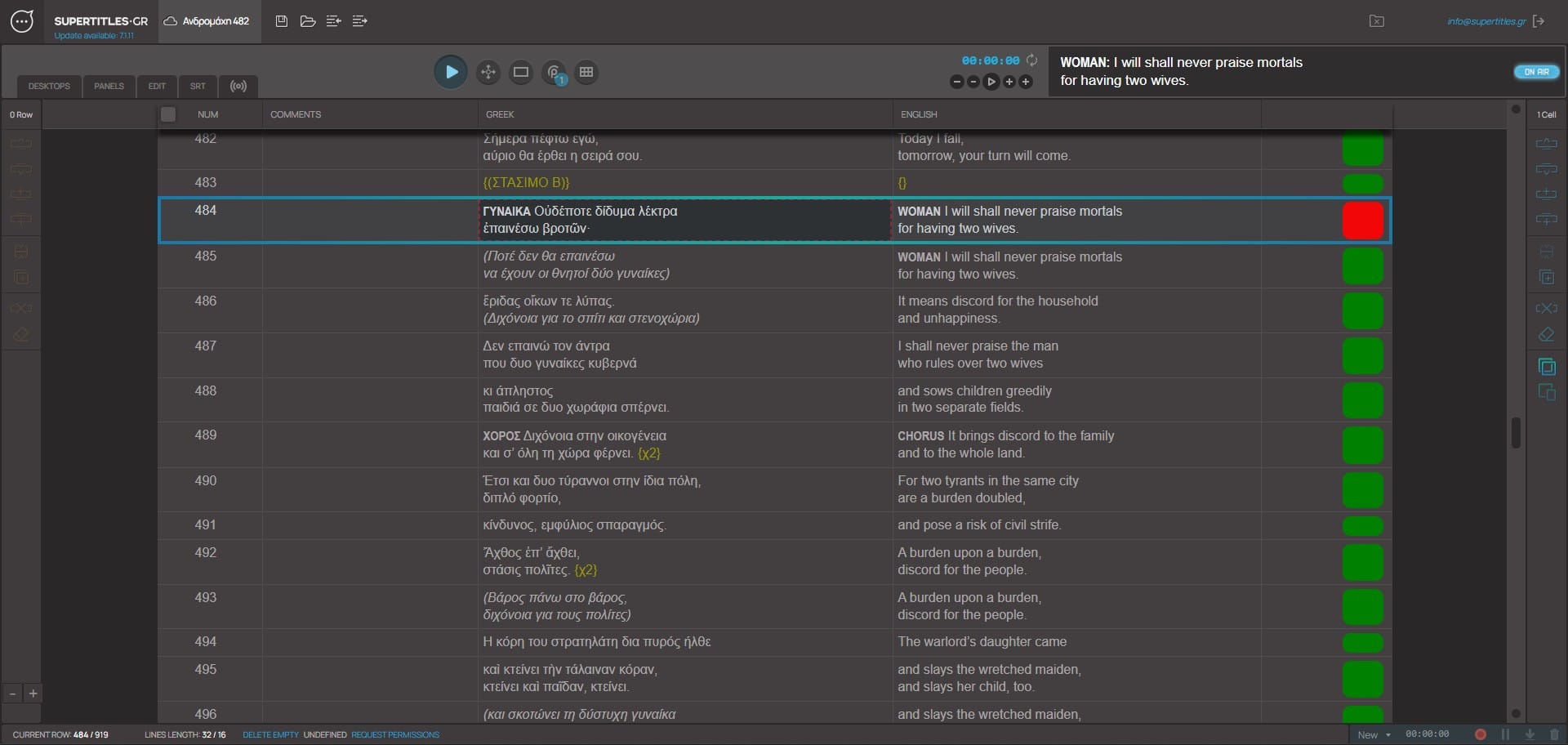
One file holds the production. Each language is a column. Each panel has its own font, size, colour, shadow, and outline. Many formatting options, such as rotation, stretching, line and character spacing, 4-corner correction, and more.
As many screens as the laptop can drive
One fullscreen window per display. A projector, an LED, a second language on another output. The limit is the laptop, not the software.
NDI support
Each armed panel is its own NDI source, with alpha, for a media server. The server places the picture. SuperTitles sends the type.
OSC
A named cue can fire the desk. The desk can GO the titles. QLab and Resolume Arena. Other OSC desks the same way.
Phones and tablets
The same cues on the spectator’s phone or tablet, or on a screen in the house. No app.
Remote operator
Cue from a phone on the venue network. Show and hide a line while you are away from the laptop. The show stays on the laptop.
PJLink
Open and close the shutter. Power the projector on and off.
Import and export
Word, plain text, SRT, and text from another surtitle program.
The production in one place
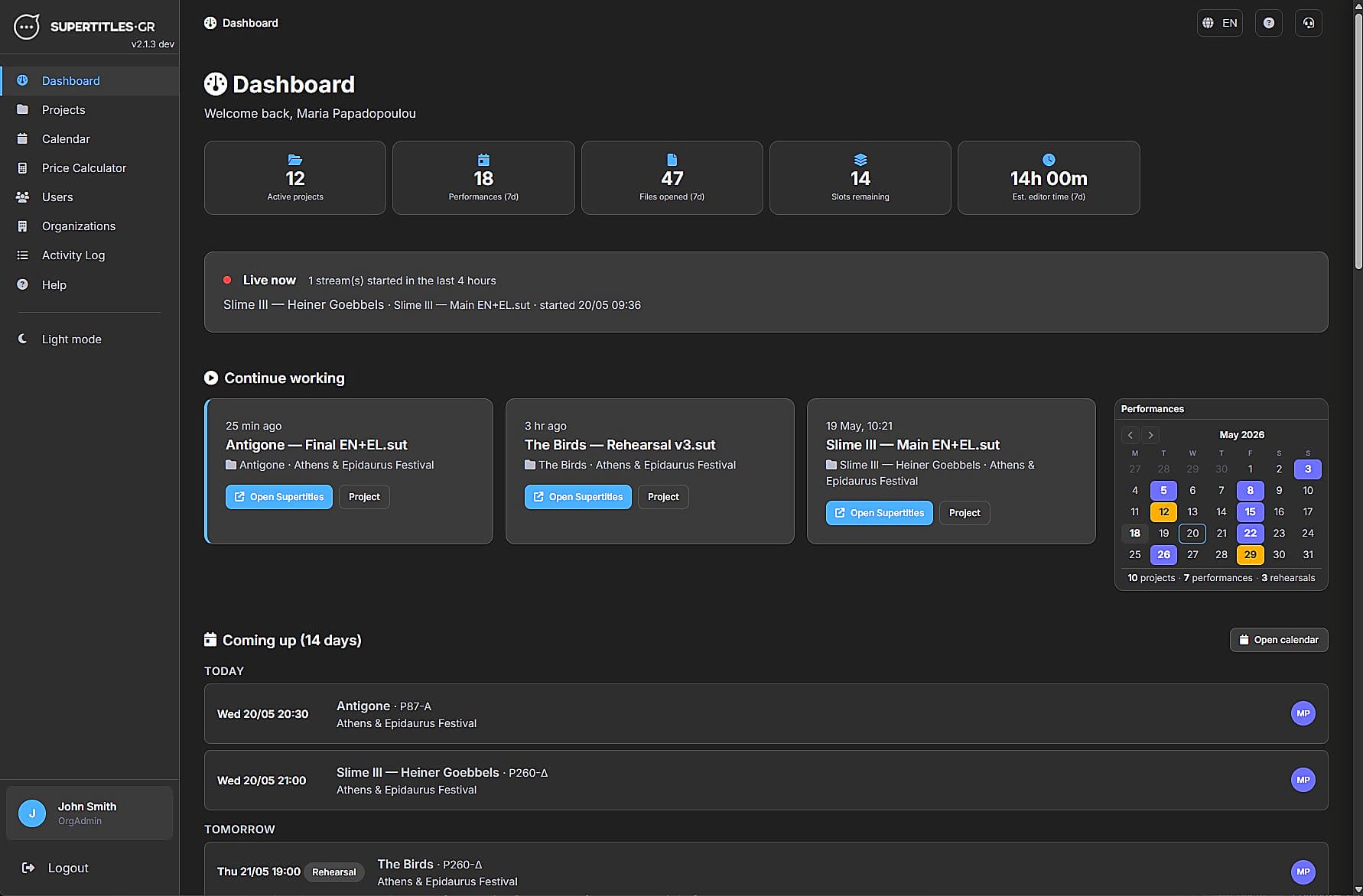
Calendar, roles, and who operates which night. Several files in one production. Synched scroll editor built in. The file opened in the booth is the one the team prepared.
Follow a timed section
Label a cue, or give the script a timecode, and follow a timed part of the play or a film.
Record the play
Record the performance. Download an SRT when it is over.
One slot, many performances
This is how the software is priced. A slot is one production, and that production can run as many performances as it needs. Buying more slots costs less for each. No monthly fee.
Online, and in the hall
It lives online and opens in Chrome, so the file is there when you need it. With no internet, open a local file, run the show, and sync later.
Clip
Play — next cue, hide / show
Advance a row. Blank the output without losing your place.
Clip
Two languages, one file
Greek and English (or more) on the same cues.
Clip
Progressive reveal
A pipe in the text holds a line and extends it when the stage is ready.
Clip
Move a panel
Size, place, colour profile — the same titles on a different screen.
Clip
Import from Word
A table in, columns in the grid.
Clip
SRT record / play
Time a rehearsal. Play it back.
Clip
Name a cue
A label on the row. Jump to it. It never reaches the house screens.
Clip
Fire the hall
When a labelled cue shows, send OSC, change a profile, close a shutter. QLab can GO SuperTitles the other way.
Organisations, files, calendar, and who is on which night. Open the editor from the project when it is time to cue.
Glasses and seat tablets are possible, with people we trust. Glasses are expensive per pair, plus upkeep. Tablets suit opera better than spoken theatre: looking down a thousand times changes the show. We would rather say that in the conversation than sell a kit that does not fit.